Each role comes with sensible defaults. If they don’t fit your team, an Admin can change them in Settings › Permissions & Access, under Workspace security & access.
Change a whole category
Permissions are grouped into five categories. Each has a menu that sets every action in it at once.
DemoChange who can do what
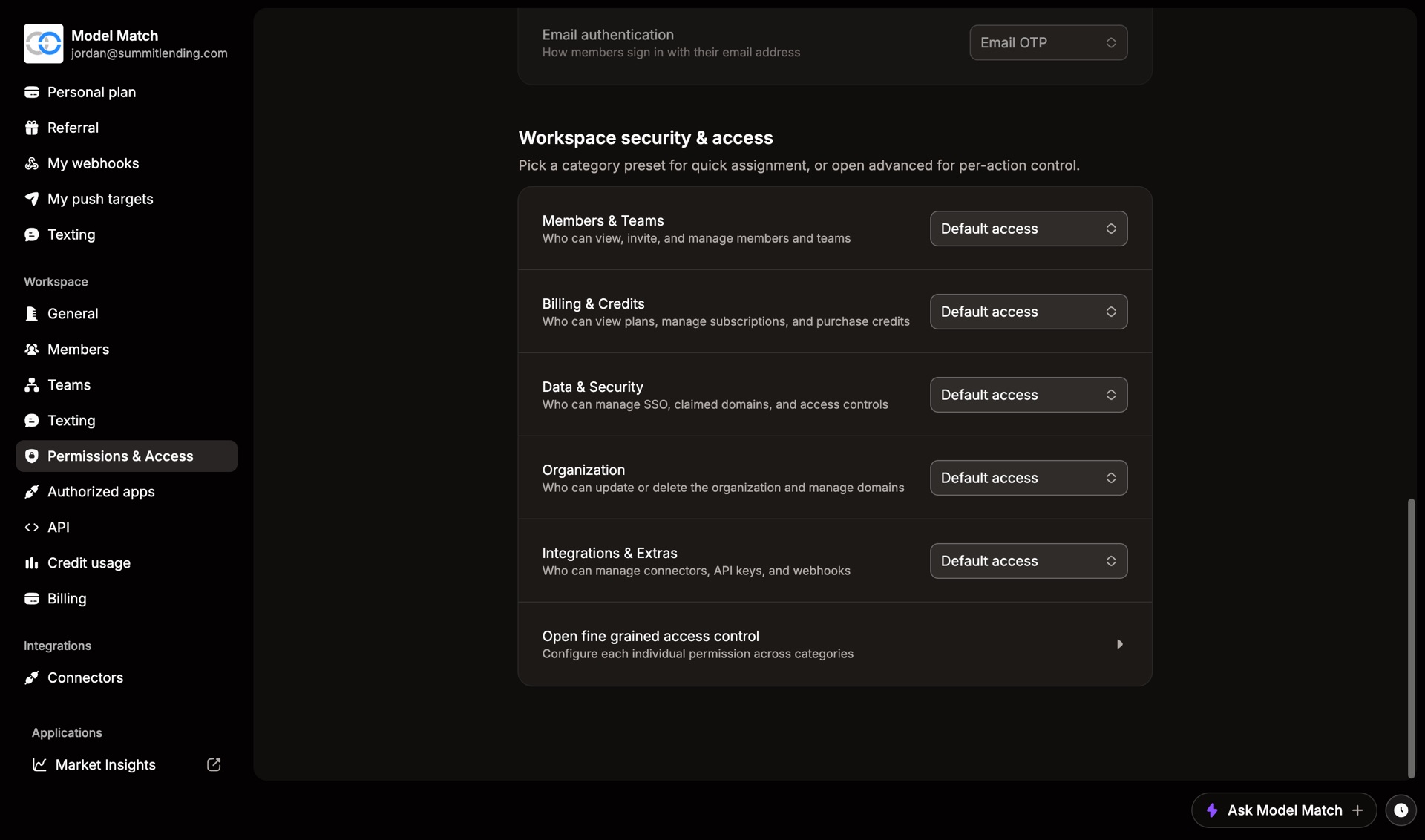
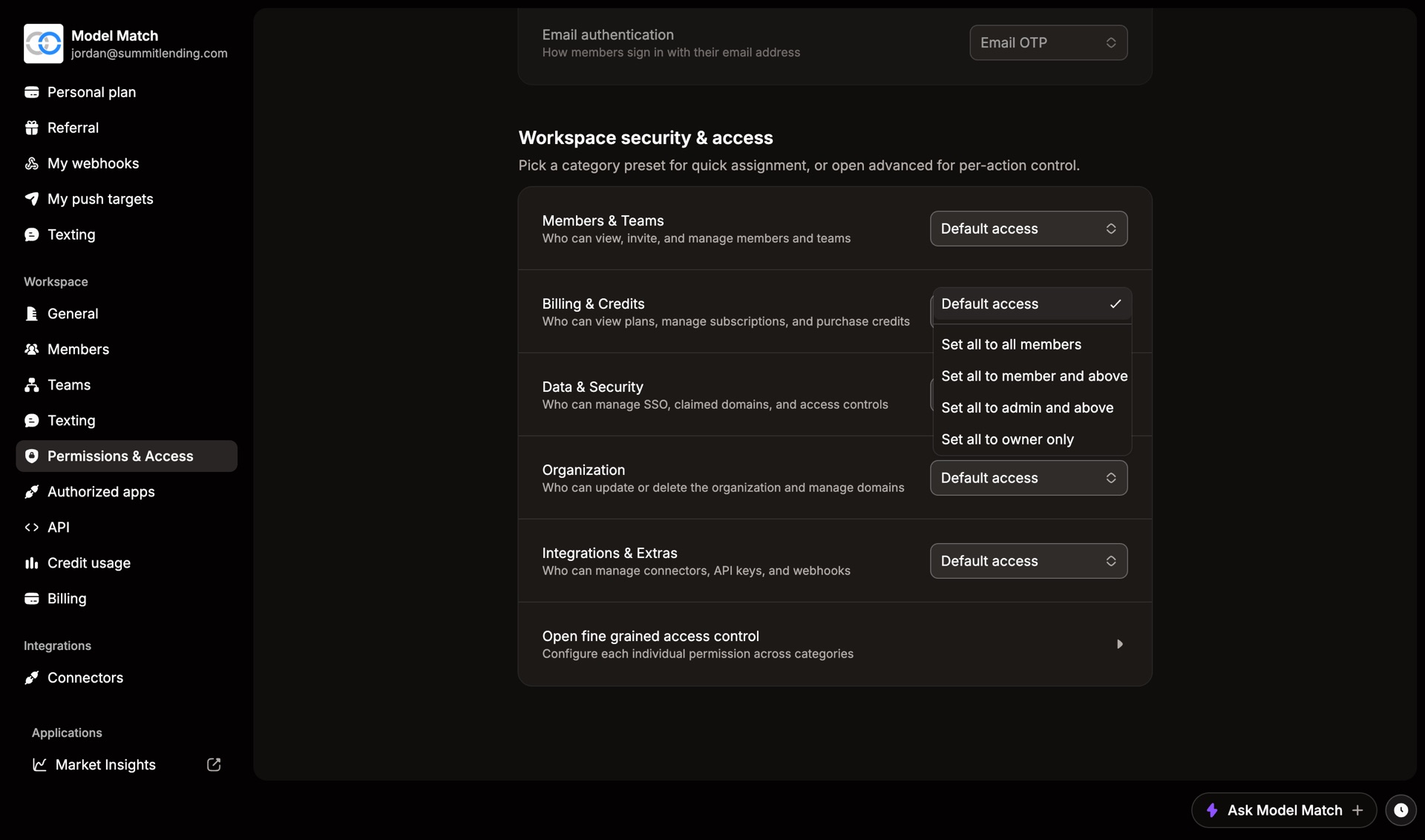
Changes save right away. Choose Default access to put a category back.
Change a single action
Choose Open fine grained access control to set each action on its own, like letting Members invite people but not cancel invites.
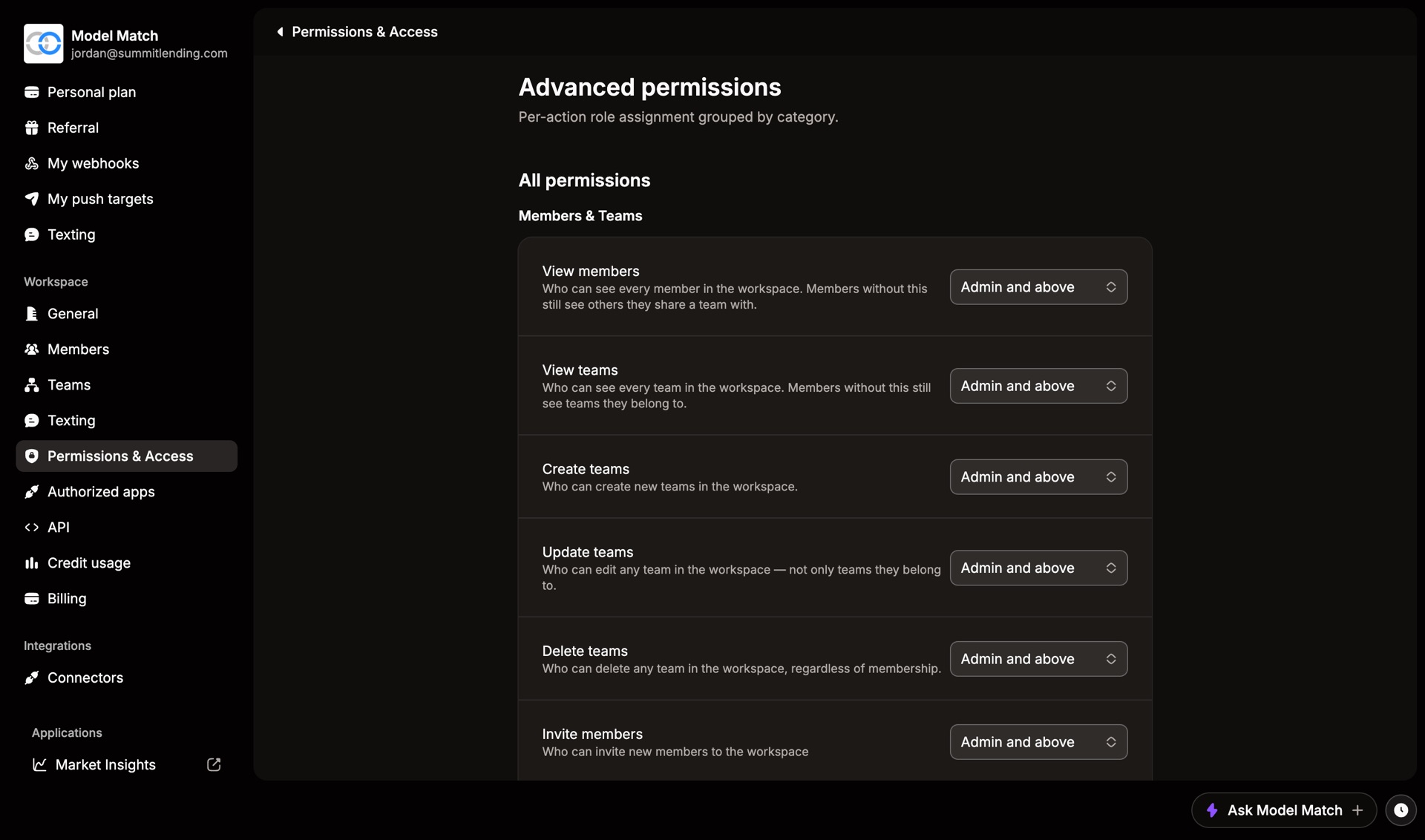
The actions people ask about most, and their defaults:
| Action | Default |
|---|---|
| Invite members, cancel invitations | Admin and above |
| Create, edit, or delete teams | Admin and above |
| View the plan | Member and above |
| Upgrade or cancel the subscription | Admin and above |
| View workspace credits, buy credits | Admin and above |
| Grant or transfer credits | Admin and above |
| Manage security, SSO, and domains | Admin and above |
| Create their own API keys | Member and above |
Anyone who can Edit role permissions can change everything on this page. Keep it at Admin and above.