
Authentication
Authenticate requests to the Model Match API using API keys or OAuth 2.0.
Every request to a /v1 endpoint must be authenticated. There are two approaches:
- API keys — simplest option for server-side integrations, scripts, and data pipelines
- OAuth 2.0 — for apps that act on behalf of a Model Match user, or server-to-server via client credentials
Most developers should start with an API key. Use OAuth only if you're building an app that needs to act on behalf of other users or needs scoped access tokens.
API Keys
API keys are tied to your personal account and carry your permissions. They're ideal for backend services, scripts, and any integration that runs outside the browser.
Creating a Key
- Open Model Match and go to Settings → Security & Access
- Scroll to Personal API keys
- Click Create API key
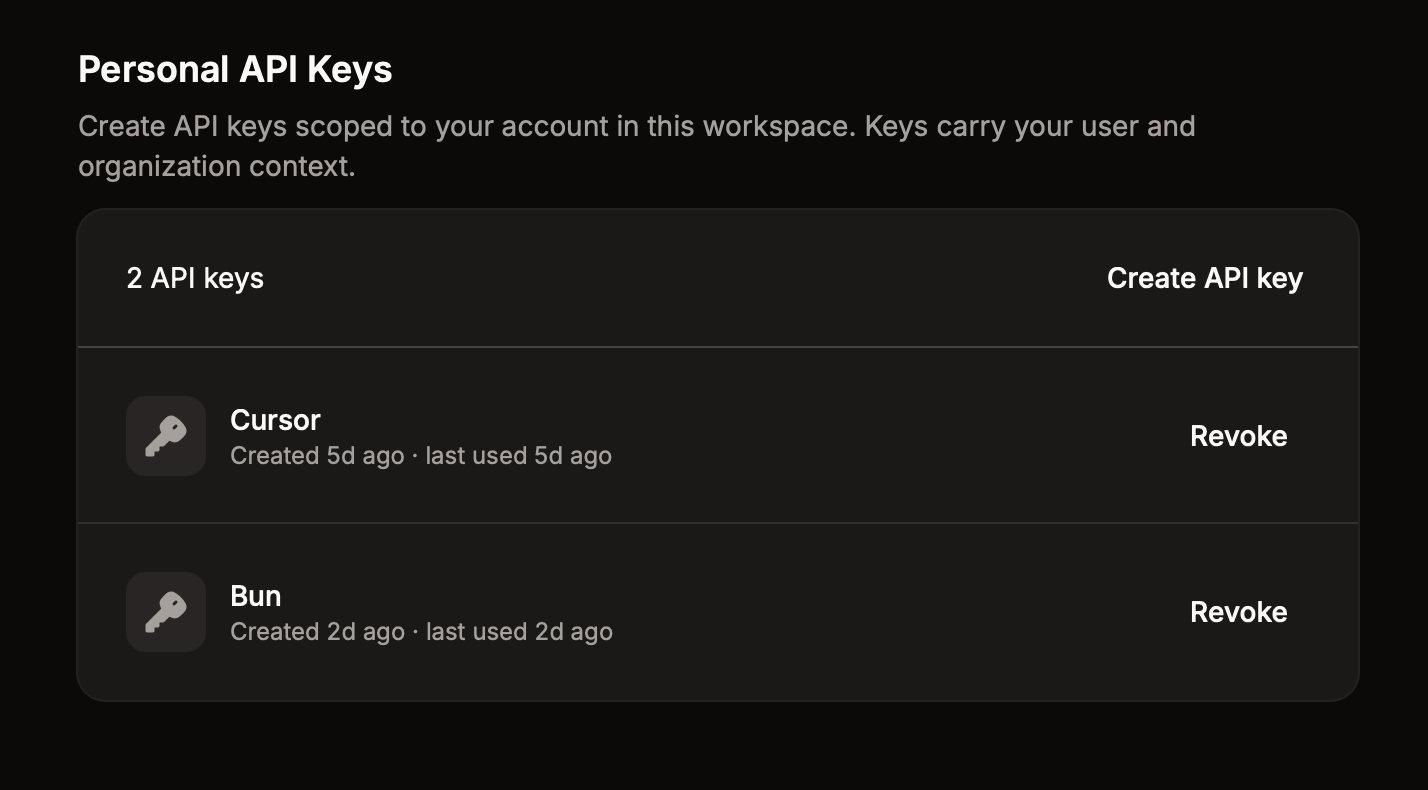
Copy the key immediately — it's only shown once. Store it securely and never commit it to source control or expose it in client-side code.
Using Your Key
Pass the key in the x-api-key header:
curl https://api.modelmatch.com/v1/loans \
  -H "x-api-key: mm_your_key_here"
Or as a Bearer token in the Authorization header:
curl https://api.modelmatch.com/v1/loans \
  -H "Authorization: Bearer mm_your_key_here"
Both methods are equivalent.
With the TypeScript SDK
Pass your API key to createClient:
import { createClient } from "@model-match/api";

const client = createClient({ apiKey: process.env.MODEL_MATCH_API_KEY });
createClient configures a process-global client once at startup; every method call then uses it. The base URL defaults to https://api.modelmatch.com (override with the baseUrl option, or the MMR_API_URL environment variable).
Rate Limiting
Each API key has a rate limit based on your plan. When the limit is exceeded, requests return 429 Too Many Requests with a Retry-After header. Rate limits refill automatically over a rolling window.
OAuth 2.0
Use OAuth when your app needs to act on behalf of Model Match users, or when you need server-to-server access with scoped permissions.
Model Match supports the Authorization Code flow (with PKCE) for user-facing apps and the Client Credentials flow for server-to-server integrations.
Use the helper library. @model-match/oauth is a small, framework-agnostic TypeScript package that handles OIDC discovery, PKCE generation, callback parsing, token exchange, refresh, and revocation. It uses platform APIs only (fetch, URL, Web Crypto) and works in browsers, Node, Bun, and edge runtimes. The raw HTTP examples below are documented for reference — prefer the helper in production code.
bun add @model-match/oauthWorking examples
Two complete, runnable apps in the model-match-inc/examples repo demonstrate both OAuth flows end to end — from the sign-in button to a @model-match/api call rendered on a page. Each is self-contained: cd in, npm install, copy .env.example, and run.
Use the PKCE example for pure browser, mobile, or CLI apps where you can't store a secret; use the confidential example when you have a backend that can. The snippets below are drawn from these apps.
Creating an OAuth Client
- Go to Settings → API (under Administration)
- Click + to register a new client
- Fill in your application name, callback URLs, and configuration
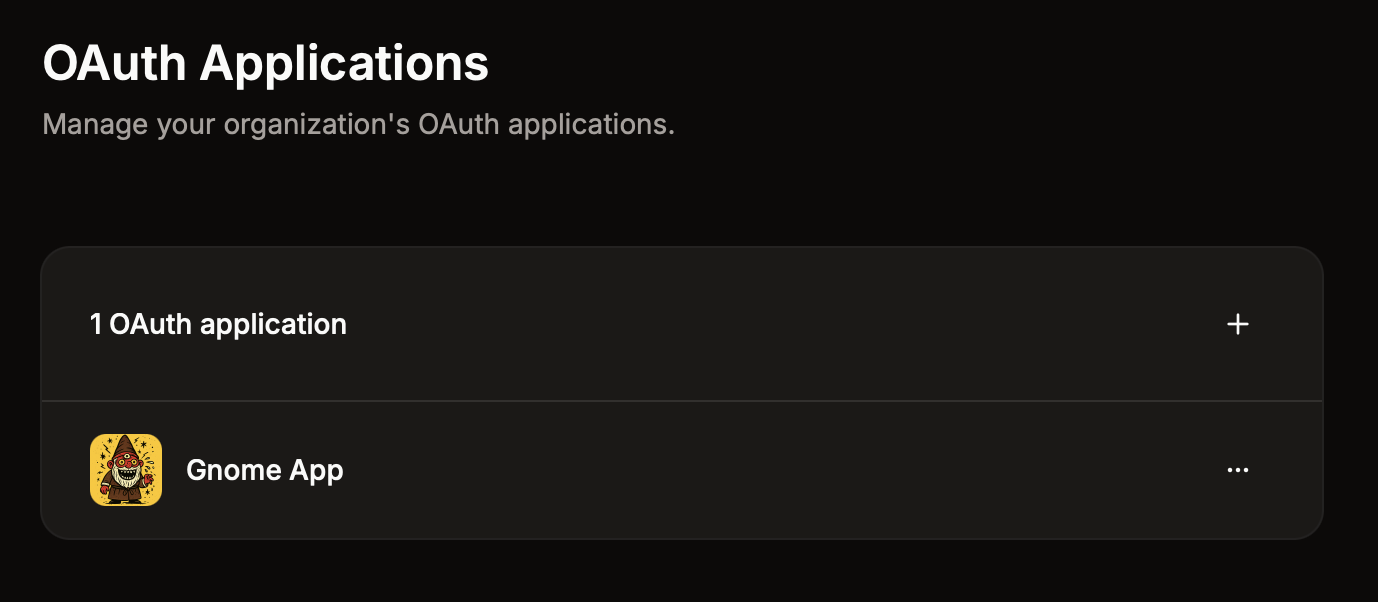
Provide at least a name and one callback URL. After creation, you'll receive a Client ID and Client Secret — store the secret securely, it won't be shown again.
Enable client credentials if your app needs server-to-server access without a user context.
Scopes
Request only the scopes your application needs. Available scopes:
| Scope | Description |
|---|---|
openid | Required for OAuth. Returns a user identifier. |
profile | Access the user's name and profile info, including the /v1/me endpoints |
profile:write | Update your own profile (PATCH /v1/me) |
email | Access the user's email address |
offline_access | Request a refresh token for long-lived access |
market-insights:read | Read market-intelligence data (loans, agents, originators, companies, properties, etc.). Required for all data endpoints. |
market-insights:bulk | Submit and retrieve bulk-delivery exports |
property-enrichment:run | Enrich a single property |
property-enrichment:bulk | Submit bulk property-enrichment jobs |
realtime:read | Access realtime endpoints |
alerts:read / alerts:write | View / configure alerts |
crm:read / crm:write | Read / modify your workspace CRM — records, lists, contacts, notes, tasks, meetings, and calls — plus the Integrations endpoints that push records to external systems |
workspace:read / workspace:write | Read / modify organization (workspace) data |
members:read / members:write | View / manage organization members |
teams:read / teams:write | View / manage teams |
billing:read | Read billing data |
Most integrations only need market-insights:read (plus openid/offline_access for the OAuth flows) — it's the scope that powers the data API. Add the others only as your app uses those features.
Authorization Code Flow (with @model-match/oauth)
The recommended path. Three pieces of code: a redirect handler, a callback handler, and (optionally) a refresh.
See this flow wired into a real app: the Vite SPA (PKCE) example for browser clients, or the TanStack Start example for server-side clients with a secret.
1. Create the client
Create one OAuthClient per environment and reuse it. The first call to any method performs OIDC discovery against the issuer's /.well-known/openid-configuration and caches the endpoints in memory.
import { createOAuthClient } from "@model-match/oauth";

export const oauth = createOAuthClient({
  issuer: "https://auth.modelmatch.com",
  clientId: process.env.MODEL_MATCH_CLIENT_ID!,
  // omit clientSecret in browser code
  clientSecret: process.env.MODEL_MATCH_CLIENT_SECRET,
  redirectUri: "https://yourapp.com/oauth/callback",
});
2. Redirect the user
Generate a PKCE pair, stash the verifier where the callback can read it, then send the user to the authorization endpoint.
import { createPKCE } from "@model-match/oauth";

const pkce = await createPKCE();
sessionStorage.setItem("modelmatch_code_verifier", pkce.codeVerifier);

const state = crypto.randomUUID();
sessionStorage.setItem("modelmatch_state", state);

const url = await oauth.createAuthorizationUrl({
  scopes: ["openid", "email", "offline_access", "market-insights:read"],
  state,
  codeChallenge: pkce.codeChallenge,
});

window.location.assign(url.toString());
Server-side frameworks should put the verifier and state in a signed, http-only cookie instead of sessionStorage.
3. Handle the callback
Parse the redirect, verify state, and exchange the code for tokens.
import { parseOAuthCallback } from "@model-match/oauth";

const callback = parseOAuthCallback(request.url);
if (!callback.ok) {
  throw new Error(callback.errorDescription ?? callback.error);
}
if (callback.state !== sessionStorage.getItem("modelmatch_state")) {
  throw new Error("state mismatch");
}

const tokens = await oauth.exchangeCode({
  code: callback.code,
  codeVerifier: sessionStorage.getItem("modelmatch_code_verifier") ?? undefined,
});
// { access_token, token_type, expires_in, refresh_token?, id_token?, scope? }
When clientSecret is set on the client, the helper uses client_secret_basic for token requests automatically. Override with tokenEndpointAuthMethod: "client_secret_post" or "none" if your registration requires it.
4. Refresh
Access tokens are short-lived (typically around 1 hour). Request offline_access to receive a refresh_token, then:
const refreshed = await oauth.refreshToken({
  refreshToken: tokens.refresh_token!,
});
5. Revoke (sign-out)
await oauth.revokeToken({
  token: tokens.refresh_token!,
  tokenTypeHint: "refresh_token",
});
Client Credentials Flow
For server-to-server integrations that don't need a user context, use the client credentials grant. Enable this option when creating your OAuth client.
curl -X POST https://auth.modelmatch.com/api/auth/oauth2/token \
  -H "Content-Type: application/x-www-form-urlencoded" \
  -u "YOUR_CLIENT_ID:YOUR_CLIENT_SECRET" \
  -d "grant_type=client_credentials" \
  -d "scope=market-insights:read"
Response:
{
  "access_token": "eyJhbGciOi...",
  "token_type": "bearer",
  "expires_in": 3600
}
Client credentials tokens do not include a refresh token — request a new token when the current one expires.
Using an Access Token
Whether the token came from the auth-code flow or client-credentials, send it as a Bearer:
curl https://api.modelmatch.com/v1/loans \
  -H "Authorization: Bearer eyJhbGciOi..."
Raw HTTP Reference
If you can't use @model-match/oauth, the underlying endpoints are standard OAuth 2.0 / OIDC.
Authorization endpoint
https://auth.modelmatch.com/api/auth/oauth2/authorize
  ?client_id=YOUR_CLIENT_ID
  &redirect_uri=https://yourapp.com/callback
  &response_type=code
  &scope=openid profile email offline_access market-insights:read
  &code_challenge=CHALLENGE
  &code_challenge_method=S256
&state=RANDOM_STATE| Parameter | Required | Description |
|---|---|---|
client_id | Yes | Your OAuth client ID |
redirect_uri | Yes | Must match a registered callback URL |
response_type | Yes | Always code |
scope | Yes | Space-separated list of scopes |
code_challenge | Recommended | PKCE challenge (SHA-256, base64url-encoded) |
code_challenge_method | Recommended | Always S256 |
state | Recommended | Random string to prevent CSRF attacks |
Token exchange
curl -X POST https://auth.modelmatch.com/api/auth/oauth2/token \
  -H "Content-Type: application/x-www-form-urlencoded" \
  -d "grant_type=authorization_code" \
  -d "code=AUTH_CODE" \
  -d "redirect_uri=https://yourapp.com/callback" \
  -d "client_id=YOUR_CLIENT_ID" \
  -d "client_secret=YOUR_CLIENT_SECRET" \
  -d "code_verifier=YOUR_CODE_VERIFIER"
Refresh
curl -X POST https://auth.modelmatch.com/api/auth/oauth2/token \
  -H "Content-Type: application/x-www-form-urlencoded" \
  -d "grant_type=refresh_token" \
  -d "refresh_token=rt_..." \
  -d "client_id=YOUR_CLIENT_ID" \
  -d "client_secret=YOUR_CLIENT_SECRET"
Discovery
OIDC metadata is published at:
https://auth.modelmatch.com/.well-known/openid-configurationError Responses
When authentication fails, the API returns one of these status codes:
| Status | Meaning | What to Check |
|---|---|---|
401 Unauthorized | Missing or invalid credentials | Verify your API key or token is correct and included in the request |
403 Forbidden | Valid credentials, insufficient permissions | Your key or token doesn't have access to this resource |
429 Too Many Requests | Rate limit exceeded | Wait for the Retry-After period before retrying |
{
  "error": "Unauthorized",
  "message": "Invalid or missing API key"
}