
Buying Credits
Top up your balance from My credit usage. Buy credits on demand — larger purchases come at a better per-credit rate. Turn on Spending beyond cycle to keep working past your included credits, capped per billing period by your cycle cap, drawing from your workspace or personal pool.
Credits you buy land in your on-demand balance, which rolls over and never expires — so purchased credits sit in reserve until your included (cycle) credits are used up. You can buy them yourself, or let usage flow past your included credits automatically. This page covers both, plus spending from your personal pool.
Buy credits manually
Open My credit usage and click Buy credits. Choose a quantity, review the total (the per-credit price and any bulk discount are shown live), and confirm.
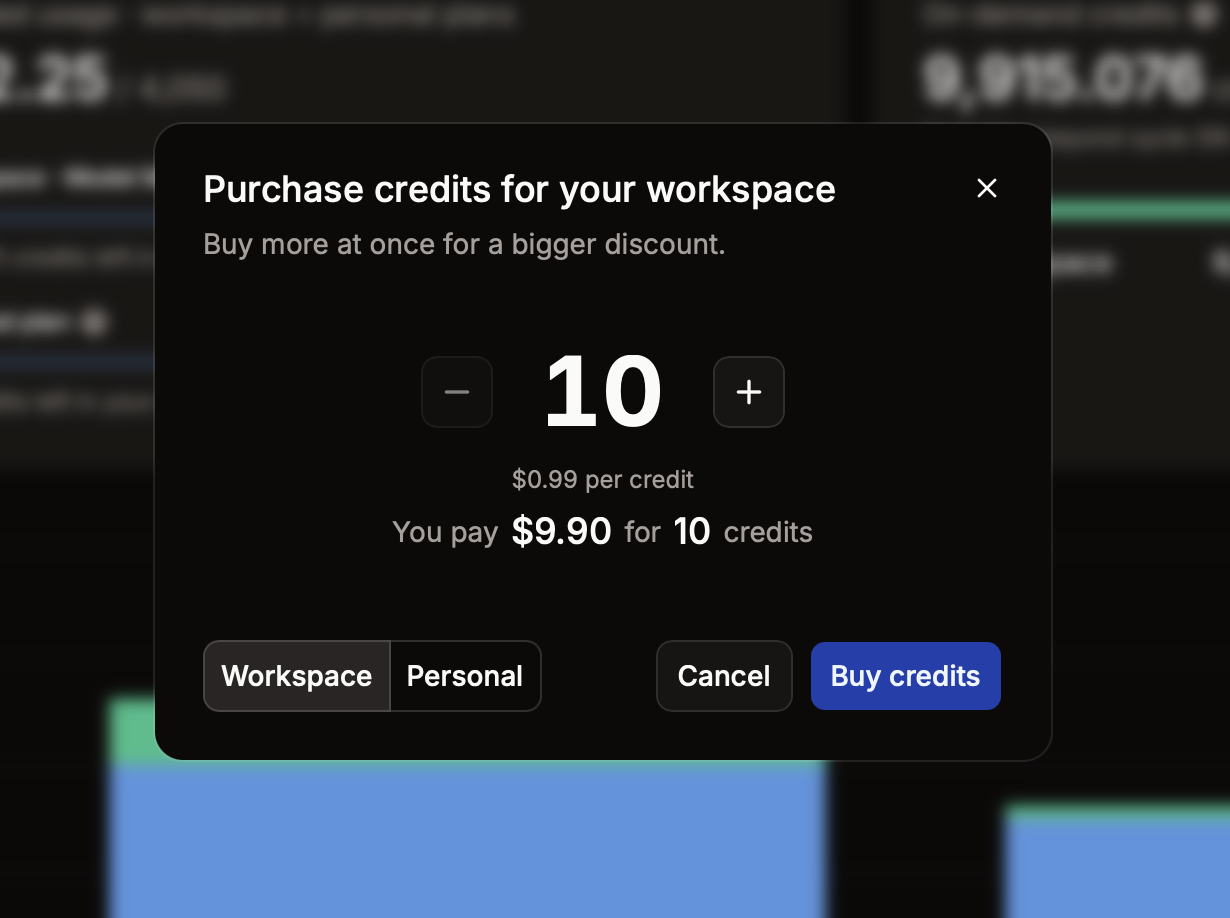
- If you have a payment method on file, the purchase is charged immediately and the credits appear in your on-demand balance.
- If you don't, you'll get a hosted invoice link to pay — the credits are added once payment clears.
Every purchase produces a real invoice with a downloadable PDF, available from Personal billing (or Workspace billing for an org purchase).
Bulk discounts
Manual purchases are discounted by quantity — the more credits you buy at once, the lower the per-credit price, scaling down meaningfully for large purchases. The discount and your total are shown live in the dialog before you confirm, so you can find the quantity that works for you.
Bulk discounts apply to manual purchases only. Automatic top-ups (below) are billed at your standard per-credit rate.
Personal credits
By default your usage is funded entirely by your organization. Turning on Spending beyond cycle for your personal pool lets your own credits (and, with auto-purchase, your own card) cover overflow once the workspace balance is exhausted — so you can keep working without waiting for an admin to top up the team.
- Your personal pool sits at the end of the draw order, after your workspace pool.
- Manage your personal payment method, personal cycle cap, and invoices under Personal billing.
- Personal credits also back a personal subscription if you hold one.
Related
Usage, Pricing & Credits
Everything in Model Match runs on a single currency — credits. Your plan includes a monthly allowance and you can buy more any time. This page explains the credit model — the two buckets every balance is split into, the order usage draws them down, and how charges route between you and your organization.
Plans & Subscriptions
Your plan sets your monthly credit allowance, seat count, and daily limits on AI features. Workspace plans bill the organization; personal plans bill an individual. Compare tiers, upgrade, downgrade, or cancel from Workspace billing or Personal billing — live pricing always shown there.