Push targets are for the moment you find someone worth working and want them in your system, not ours. One click on a record, or one request for a whole list, and the data lands in your CRM, your marketing tool, or a Zapier hook. Nothing fires on its own. You decide what gets pushed, and every attempt is on record.
What a push target is
A push target is a saved destination with five parts:
- A URL (HTTPS only) and a method,
POSTorPUT. - One record type it accepts: loan officer, real estate agent, mortgage company, branch, loan, property, or real estate office. A contact intake and a property feed are different targets.
- A field mapping from our fields to the keys your system wants. A new target starts with a sensible default, so it works on first save.
- Optional headers sent with every push, typically an
Authorizationheader for your endpoint. Values are stored and never shown again. - A signing secret, shown once, so your endpoint can verify each request came from Model Match.
Targets belong to the workspace, managed by owners and admins and usable by any member, or to a single member under Personal → My push targets when someone wants their own CRM beside the shared one.
Push targets are available on Premium and Enterprise plans. A workspace that downgrades keeps its targets visible so they can be reviewed and removed.
Set one up
Go to Workspace → API → Push targets and choose Add push target.
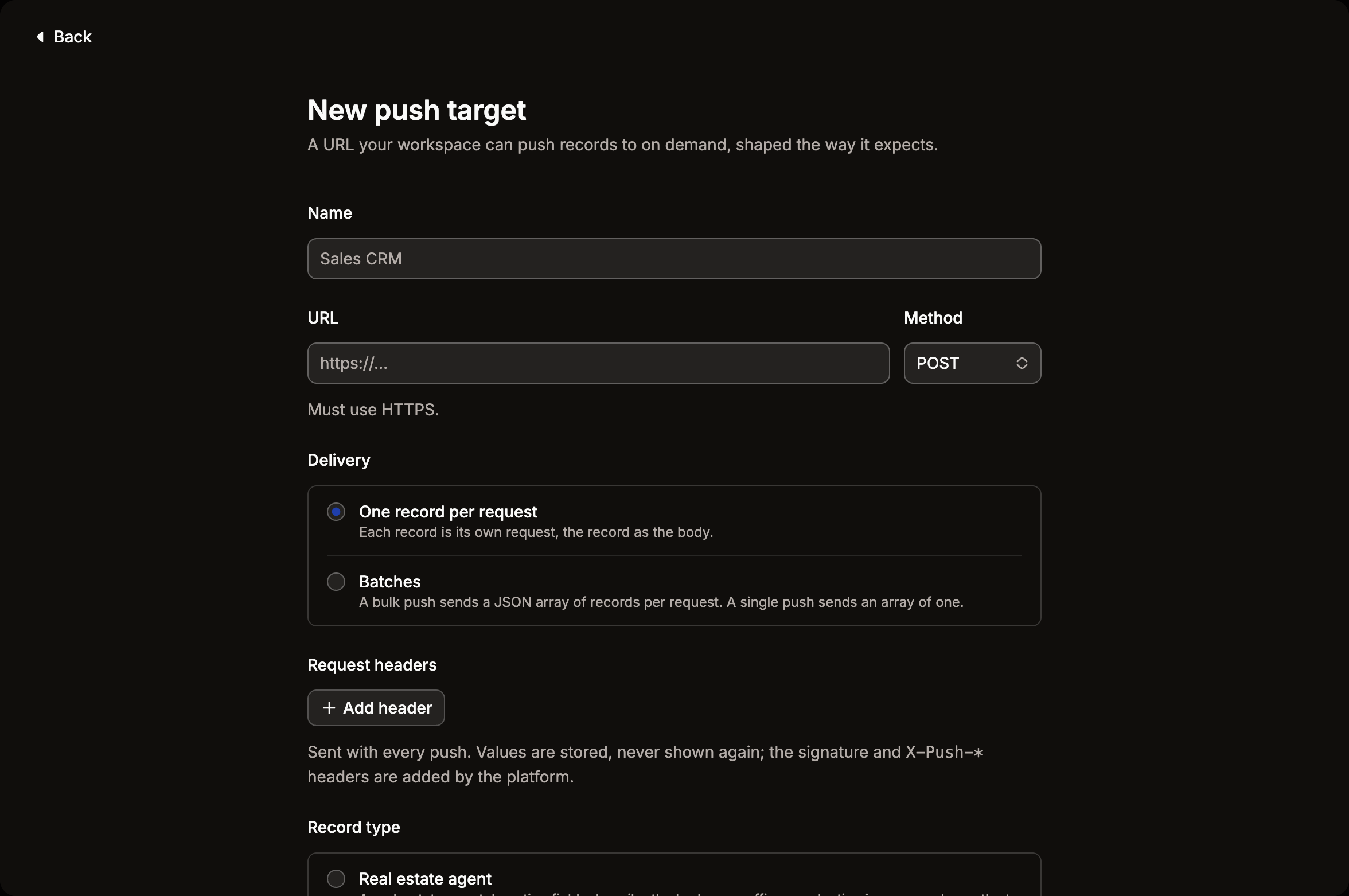
- Name and URL. The name is what members see in the “Push to…” menu.
- Delivery. One record per request sends each record as its own JSON body. Batches sends a JSON array of up to
batchSizerecords per request, which is what you want for bulk pushes to an endpoint that can take a list. - Request headers. Add whatever your endpoint needs to accept the call.
X-Push-*,Content-Type, andHostare reserved. - Record type. Pick the one entity this target accepts.
- Mapping. Review the default fields or edit them. Dotted keys nest, so a target of
properties.emailproduces{ "properties": { "email": … } }. - Create. The signing secret appears once. Copy it into your endpoint’s configuration now. You can rotate it later from the target’s page.
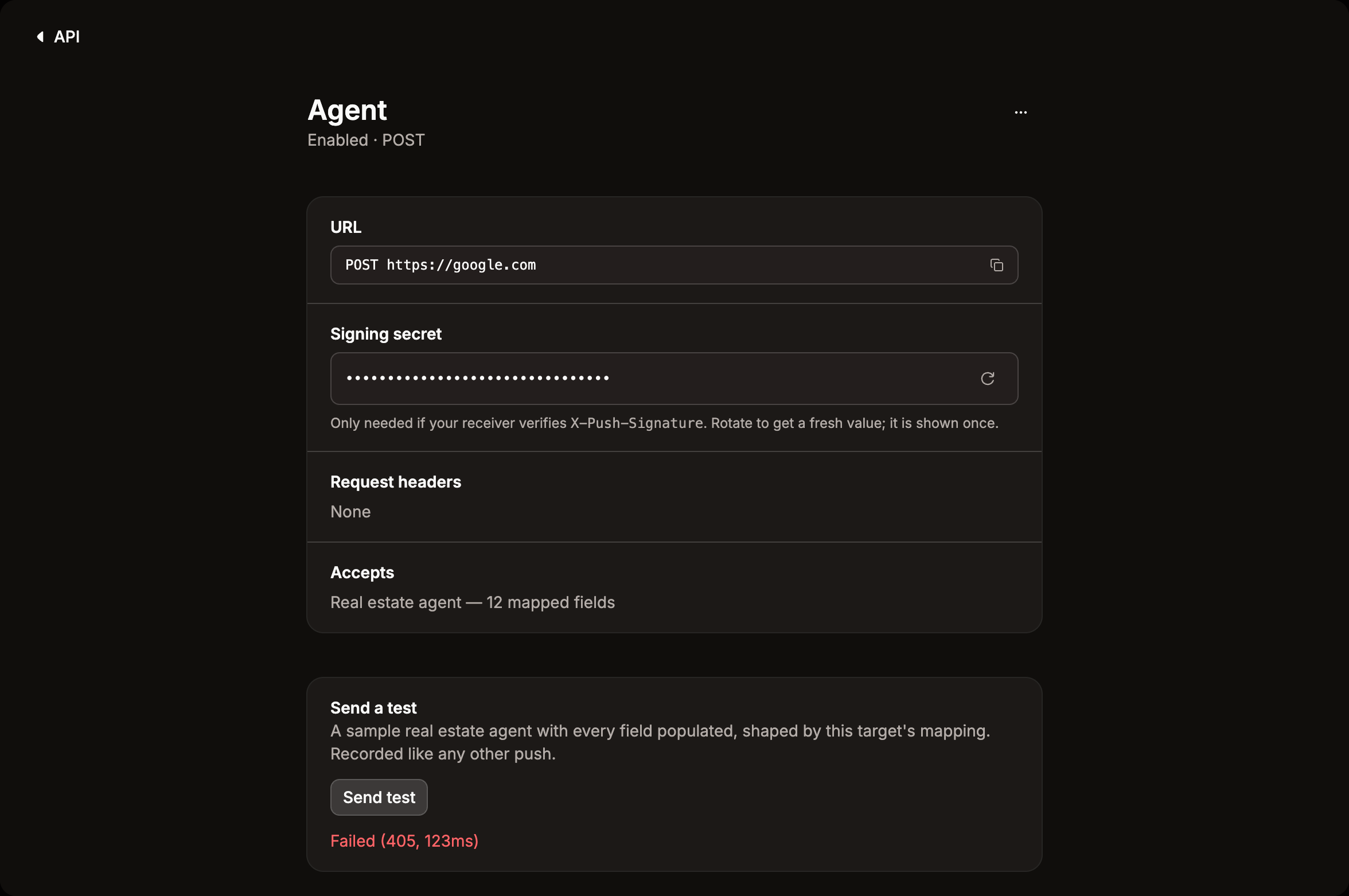
Then use Send test on the target’s page. It sends a fully populated sample record through the real pipeline and records the attempt like any other push.
What your endpoint receives
For a loan officer target mapped as
[
  { "source": "nmlsId", "target": "external_id" },
  { "source": "name", "target": "full_name" },
  { "source": "contact.workEmail", "target": "properties.email" },
  { "source": "volume", "target": "volume_12mo" }
]
a push produces
{
  "external_id": "184203",
  "full_name": "Jordan Alvarez",
  "properties": { "email": "jordan@example.com" },
  "volume_12mo": 177242593
}
A field the record doesn’t carry is left out rather than sent as null, so your “only fill if empty” rules aren’t tripped by absence. An empty mapping sends the whole record exactly as the API returns it.
Every request also carries these headers:
| Header | Value |
|---|---|
X-Push-Signature | sha256=<hex HMAC> over <timestamp>.<body> with the target’s secret |
X-Push-Timestamp | Unix time in milliseconds when the request was signed |
X-Push-Target | The target id, pt_… |
X-Push-Entity | originator, agent, company, branch, loan, property, or office |
X-Push-Entity-Id | The record’s id (omitted on batch requests, where each element carries its own) |
Bulk and batch requests add X-Push-Item-Id (stable across retries, so you can de-duplicate), X-Push-Item-Count, X-Push-Batch-Id, and X-Push-Signature-V2, an HMAC over <timestamp>.<itemId>.<body> so the item id can’t be swapped past your dedupe.
Verify the signature
import { createHmac, timingSafeEqual } from "node:crypto";

export function verifyPush(req: { headers: Headers; rawBody: string }, secret: string) {
  const timestamp = req.headers.get("x-push-timestamp") ?? "";
  const sent = req.headers.get("x-push-signature") ?? "";
  const expected = `sha256=${createHmac("sha256", secret).update(`${timestamp}.${req.rawBody}`).digest("hex")}`;

  const fresh = Math.abs(Date.now() - Number(timestamp)) < 5 * 60 * 1000;
  return fresh && sent.length === expected.length && timingSafeEqual(Buffer.from(sent), Buffer.from(expected));
}
Sign the raw request body, not a re-serialized copy. If you already verify Model Match webhooks, the same code works here.
Push a whole search
From a search in Market Insights, Push all results to… sends every matching record. From the API, point a bulk export at the target instead of a file:
curl -X POST https://api.modelmatch.com/v1/originators/bulk-delivery \
  -H "x-api-key: mm_your_key_here" \
  -H "Content-Type: application/json" \
  -d '{
    "flatFilters": { "msa": "12420", "hasPhone": true },
    "period": "last12Months",
    "limit": 2000,
    "destination": { "type": "push-target", "targetId": "pt_2e64a421-c66b-49e0-a758-c51b2dda1ba5" }
  }'
The target is checked before anything is queued. A refusal comes back with a code: TARGET_NOT_FOUND, FORBIDDEN, PLAN_REQUIRED, TARGET_DISABLED, or ENTITY_MISMATCH when the target accepts a different record type. Row limits and billing are the same as a file export, one credit per row.
Once the job finishes, a worker streams the records to your endpoint:
- A single target gets one request per record. A batch target gets arrays of up to
batchSize. 429,408,5xx, and timeouts are retried up to five times with backoff, honoringRetry-After. Any other4xxis final on the first try.- Delivery is at least once. De-duplicate on
X-Push-Item-Idif a repeat would matter. - A receiver that fails five sends in a row within two minutes trips a circuit breaker. Sends pause and resume on their own.
Progress for the job comes from POST /push-targets/batch-status with the jobId: total, sent, failed, retrying, and the ids of anything that didn’t make it.
Every attempt is on record
Each target’s page lists its last 50 sends with the status, the receiver’s response, and the exact body that was sent. Replay re-signs that stored body against the target’s current URL and secret, so a fix on your side can be tested without finding the record again. A record’s “Push to…” menu shows when it was last pushed to each target.
Permissions and scopes
| Who | Can |
|---|---|
| Owners and admins | Create, edit, delete, and rotate workspace targets |
| Any member | See workspace targets and push records to them |
| A member, for their own targets | Everything, under Personal → My push targets |
| OAuth apps and MCP clients | push-targets:send to push or point a bulk job at a target, push-targets:manage to administer |
Push targets or webhooks?
| Push target | Webhook | |
|---|---|---|
| What triggers it | A person, or a job they submitted | An event inside Model Match |
| What it carries | A record, shaped by your mapping | An event envelope |
| When to use it | Getting leads into your CRM | Reacting to changes, alerts, job completion |
Both sign requests the same way, so one receiver can handle both.